

Notion templates with List views
A curated list of 114+ Notion templates with List views
Thank you! Your submission has been received!
Oops! Something went wrong while submitting the form.
Thank you! Your submission has been received!
Oops! Something went wrong while submitting the form.

As a fast-paced startup, Harmonic relies on Notion to keep track of projects and deadlines. As part of our webinar series, we invited Notion expert Marie Poulin to conduct a live review of Harmonic's project database and make improvements in real-time. You can use the template they developed to stay organized and on top of project work across your team.


This template can be used to organize documents such as technical specifications, architecture overviews, and project kickoff notes. Effective team communication is all about transparency and making as much information available asynchronously as possible. This database allows you to quickly understand who created each document, when it was created, what type of document it is, and how to use it.


This template is simple and easy to use, and it helps you track your goals and progress. It is great for individuals and teams to set goals, track progress, and celebrate achievements.


This template is perfect for landlords, real estate investors, and property managers who want to be able to easily keep track of their investments. It offers a dashboard that helps you manage your property portfolio, tenants, bills, and transactions all in one place. Whether you are a small landlord with a few properties or a large property manager with a large portfolio, this template is the perfect tool to help you stay organized and on top of your investments.


Twitcher Secrets is a comprehensive guide, tool, and resource collection that teaches users how to earn money by utilizing media.


To achieve the goals you set for your team this year, you need more than just a plan — you need a system to keep your goals at the forefront of your mind and connect them to specific projects. This template from another company provides a clear way to see how team projects contribute to company goals, and allows you to build transparency by assigning team leads and timelines. With a system like this, you can plan with clarity and execute with confidence.

This product allows users to quickly create a schedule for complex, multi-month projects. The schedule can be viewed as a Gantt-style timeline, calendar, or a simple list of tasks. Users can easily rearrange tasks by dragging and dropping them on the schedule. The product also comes with a set of templates for common project activities such as meetings, deliverables, milestones, legal tasks, and billing tasks. These templates can be used as-is or customized to fit the needs of the project.


Collecting feedback is an essential part of any growing startup looking to improve their product. This feedback tracker allows you to centralize all of your product feedback from various platforms into a single, accessible database. Use the Notion Web Clipper to quickly capture online feedback and embed the details into a subpage. You can prioritize certain features by categorizing feedback with quantifiable tags. This template will help give your customers a voice and provide clarity on what the team should focus on.

This job board template is designed to help nonprofit organizations manage and organize job postings with ease. It allows you to create a list for each department with open roles and use properties to show the location and date/time of each posting. This way, you can keep track of all open positions and make sure the right people see them.

This template is used as a database to store frequently bought groceries. It allows users to add details like price and frequency of purchase, as well as a check box to indicate items that need to be purchased. The template also has a view that filters to only items with a checked box, allowing users to calculate the total amount of money they will spend on their next trip to the store.


This template allows you to display a daily inspirational stoic quote in your workspace. It will help you get motivated with a daily dose of wisdom and learn more about the stoic philosophy. Use this template to bring a little bit of inspiration and philosophy into your daily routine.

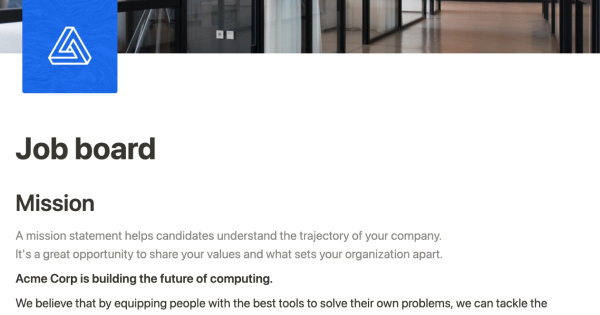
Use this template from Notion to easily list and edit job openings at your company. The platform allows you to make real-time changes to a public-facing job site. You can tag each position with the date and time it was added, as well as the specific team it belongs to. This eliminates the need for a complicated CMS or over-featured system for posting jobs. Simply add the content you want as easily as creating a document and share it with the world.

Notion uses a single database to store all meeting notes for all teams, making it easy to access and organize this information. By having a central location for all meeting notes, teams can create linked views of the same database, allowing for customized views and page templates. This approach enables a productive note-taking system for the entire company. This template can be used to promote transparency among teams and consolidate all meeting notes into one source of truth.

This tool allows you to centralize responses to common support questions, so that they are easily accessible to everyone on your team. Each response is represented as its own page within the system, where you can add any content you want, including notes, images, and more. This makes it easy to quickly find the information you need to resolve customer inquiries.

